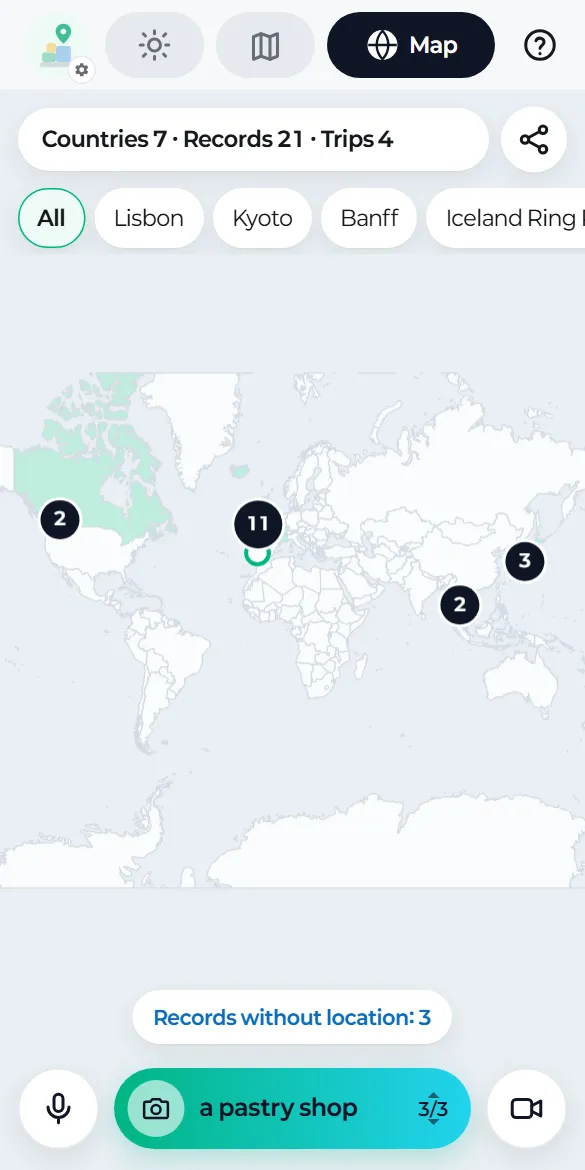
Your world map
The Map tab
Every record with a location becomes a pin, and the countries you've been to turn mint. Drag to move, and pinch or double-tap to zoom.
Filtering
Use the chips to show All, one trip or Daily. Pick a trip and the map moves to its pins, with a dotted line connecting them in the order you shot.
Pin cards
Tap a pin to see the place, date, mood and tags, note and small photos, plus Open record, Open in Google Maps and, once it's uploaded, Open MD in Drive.
Sharing your map
The share button at the top right creates a picture with just the painted countries, the pins and the counts. No place names, notes or photos.
Records without a location
Records saved without a location are listed under "Records without location".