Places to go, shared from a map app
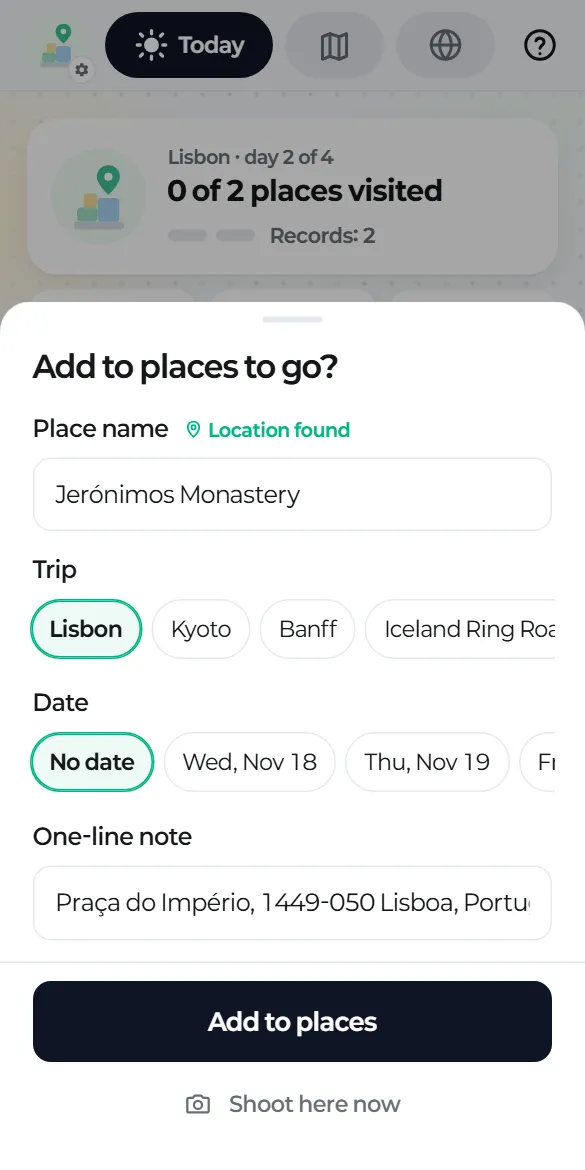
In Google Maps or another map app, tap Share → tripbloq. The place joins your trip, and once you get there one tap names your record.
Travel journal app · Android
Photos, videos, voice notes and quick notes go straight to your own Google Drive, sorted into a folder and a Markdown document for each trip. No server. No account.
Android · Coming soon to Google Play
What you get in Google Drive
Each trip gets a folder and a trip document. Each record gets its own MD file next to its photos, videos and voice notes. Tap a folder to look inside.
Anything you record outside a trip goes to Daily/year, by date. The app never touches anything outside its own tripbloq folder.
---
tripbloq: 1
type: spot
id: "20261119-171203-mi7k"
date: 2026-11-19
datetime: "2026-11-19T17:12:03+00:00"
place: "Miradouro da Senhora do Monte"
address: "Largo Monte, 1170-107 Lisboa, Portugal"
country: "PT"
lat: 38.719000
lng: -9.132500
accuracy_m: 12
trip: "Lisbon"
trip_id: "t-20261101-x8k2"
tags: ["sunset-spot", "great-view"]
mood: "Calm"
revisit: 100
media:
- file: "media/20261119_171203.jpg"
type: photo
time: "17:12:03"
- file: "media/20261119_171340.mp4"
type: video
time: "17:13:40"
- file: "media/20261119_171522.m4a"
type: audio
time: "17:15:22"
---
# Miradouro da Senhora do Monte
Came up 30 minutes before sunset. Hardly anyone here. Windy, bring a jacket.

[20261119_171340.mp4](media/20261119_171340.mp4)
[20261119_171522.m4a](media/20261119_171522.m4a)
[Google Maps](https://www.google.com/maps?q=38.719000,-9.132500)2026-11-19_Miradouro da Senhora do Monte. If the place isn't known yet, it starts as date_time and gets renamed later.How it works
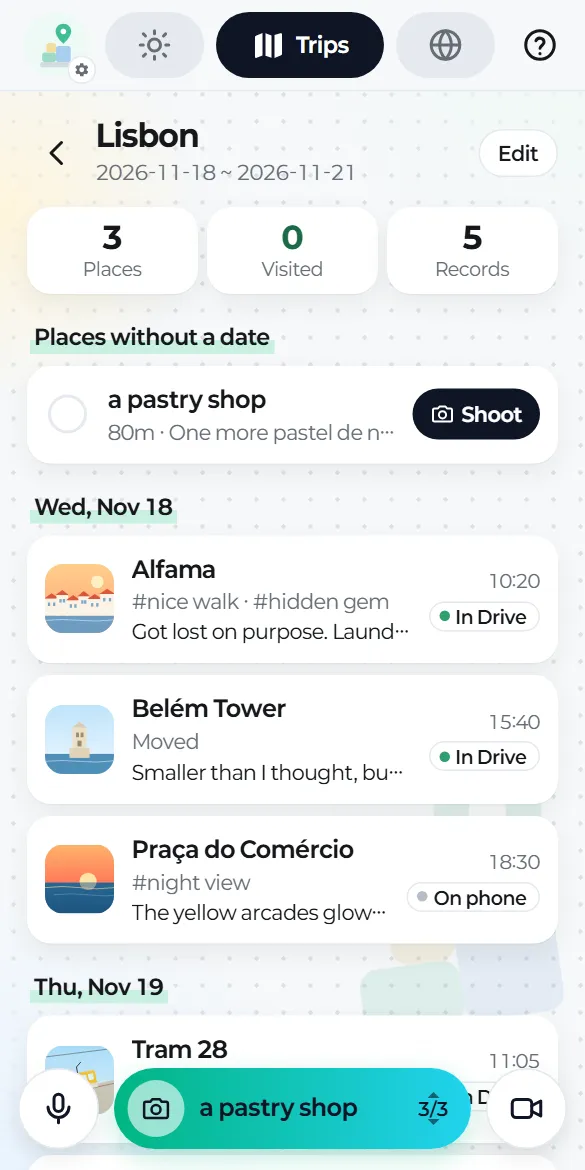
No save button and no sorting afterwards. On the road you shoot, tap once or twice, and move on.
 01
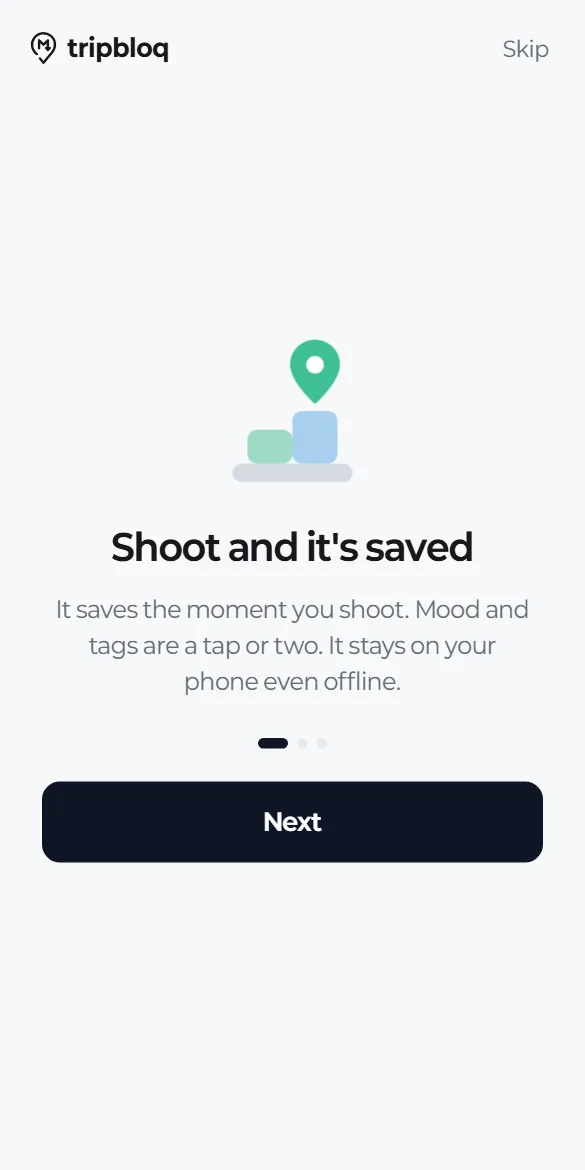
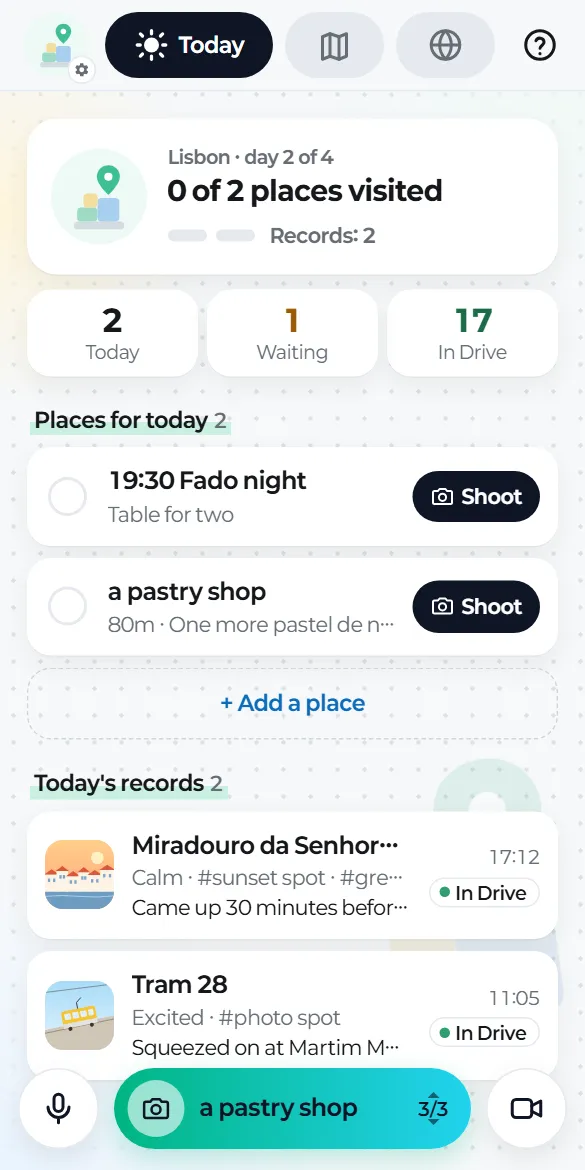
Tap the photo button and the camera opens. When you come back, the record is already saved. No save button, and it works offline too.
 02
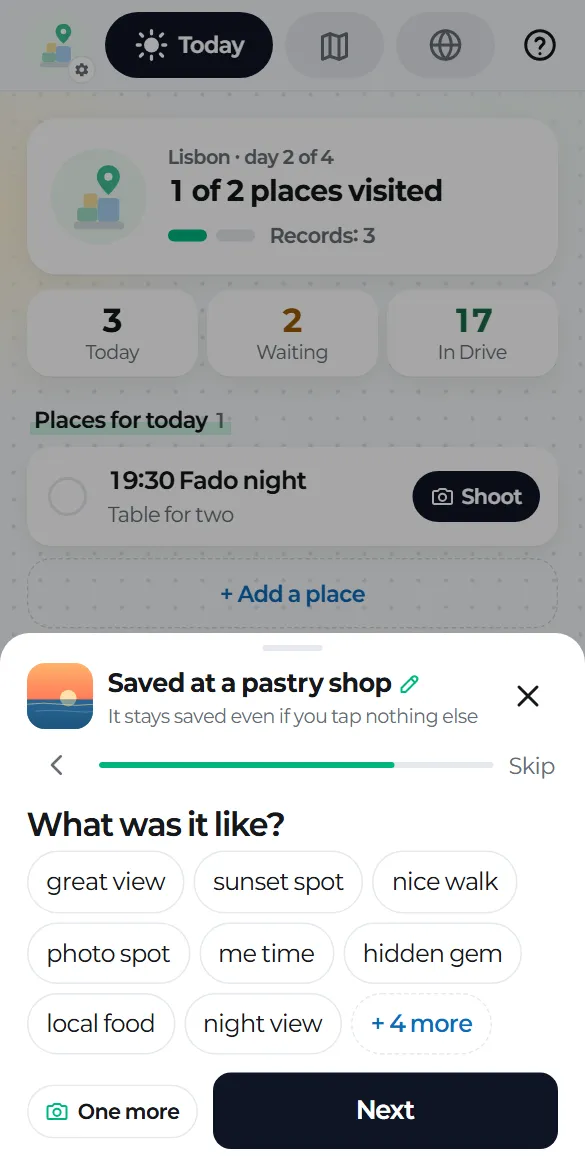
A small card asks how you feel, whether you'd come back and what the place was like. Speak a few words and they become text. Or skip it all.
 03
It uploads by itself whenever you're online: into the trip's folder during a trip, into Daily otherwise. If the connection drops, it picks up where it left off.
More
In Google Maps or another map app, tap Share → tripbloq. The place joins your trip, and once you get there one tap names your record.
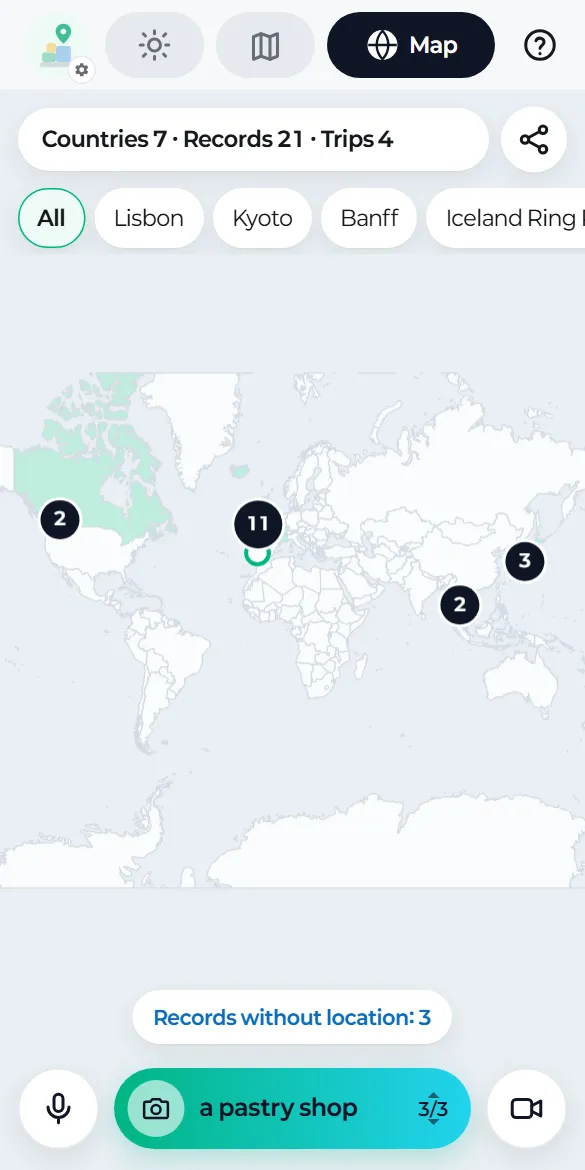
Countries you've visited turn mint and each record becomes a pin. Pick a trip to trace your route as a dotted line.
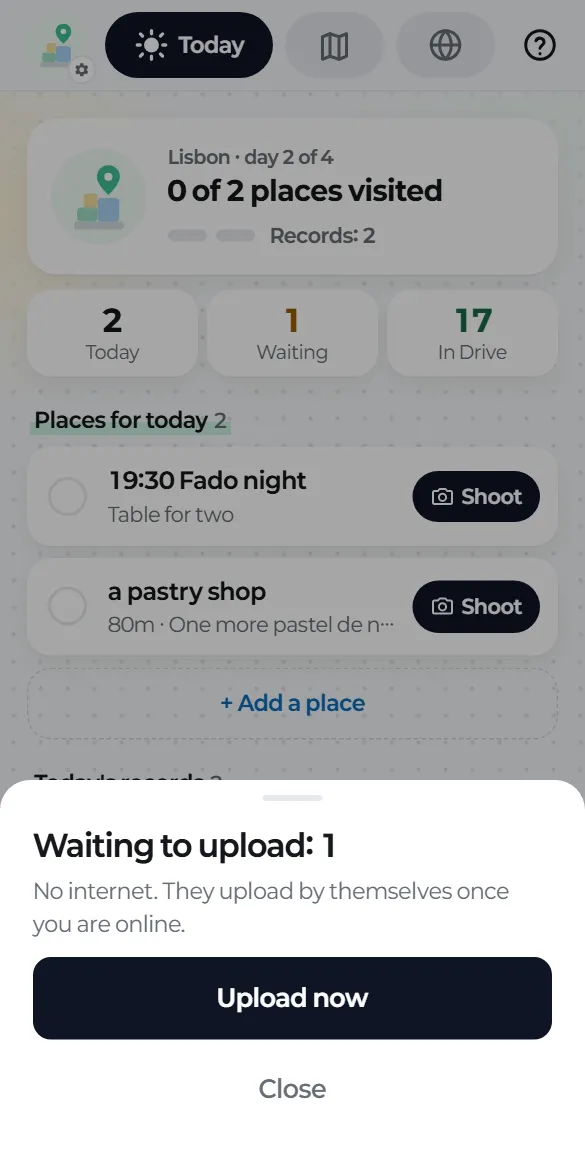
Everything is saved on your phone first and uploads once you're back online. If something is waiting, the app tells you why in one line.
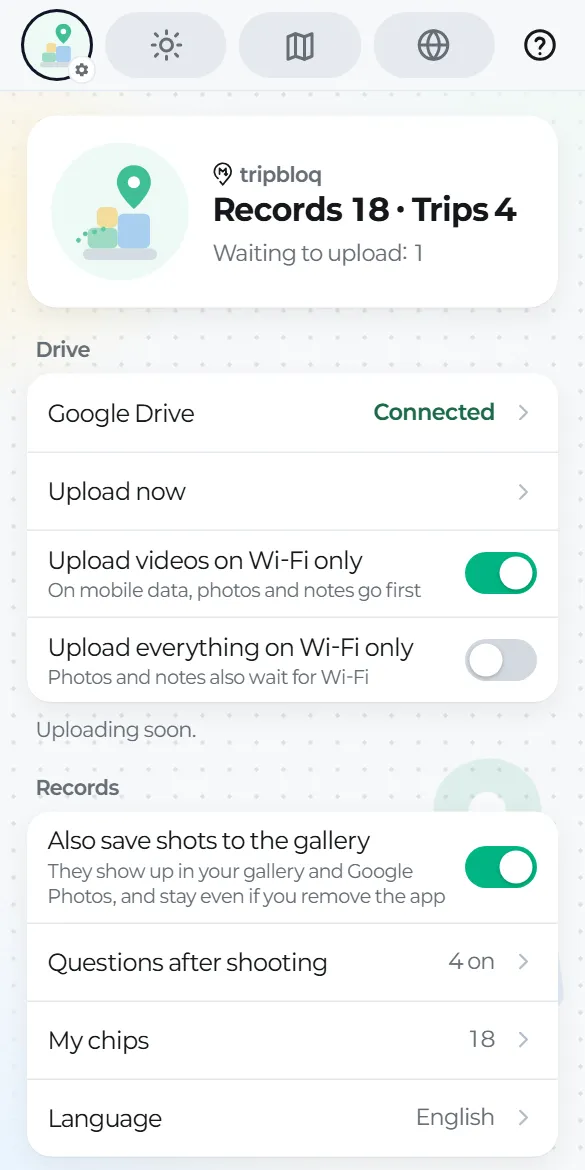
On mobile data, photos and notes go first while videos wait for Wi-Fi. This is on by default.
Our promise
Your trips should outlast any app. So from day one they live in your own Drive, as plain files that any app can open.
There's nothing to sign up for. Your records live only on your phone and in your Google Drive. Nothing is sent to us, and we can't see them.
Privacy PolicyThe app asks for a single permission that only covers files it creates, so it can't see the rest of your Drive. If you delete the app, your records stay in Drive.
They're plain text files. Open the folder in a notes app like Obsidian, or give it to an AI tool to help you write up the trip.
How to open themAn Android app for trips and days outdoors. The photos, videos, voice notes and notes you take are organized in your own Google Drive, as a folder and a Markdown document for each trip.
We're getting ready to release it on Google Play. Once there's a date, we'll post it under Updates.
There are no ads or payments in the app. If we ever add paid features, we'll announce them first, and what you've recorded always stays in your Drive.
Not yet. For now it's Android only (Android 10 or later). We'll post here when there's a plan for iPhone.
Everything is saved on your phone first. It uploads to Drive once you're back online, and if the connection drops it picks up where it stopped. Voice notes turn into text offline if your phone has on-device recognition; otherwise they're kept as audio.
tripbloq has no server and no accounts. Your records live only on your phone and in your Google Drive, and we can't see them. The only Drive permission the app uses covers files it creates, so it can't see anything else in your Drive.
Originals are uploaded as they are, so it uses as much of your Google Drive as you shoot. If mobile data is a concern, keep "Upload videos on Wi-Fi only" on (it is by default). You can also free up phone space by removing originals that are already in Drive.
Records already in Drive stay there. Records that haven't been uploaded yet exist only on your phone and are deleted with the app, so check that "On phone" shows 0 first. If gallery saving is on, your photos and videos also stay in your gallery.
Sync or download the tripbloq folder from Drive to your computer or phone and open it as an Obsidian vault. File names are place names, and links and photos use relative paths, so everything connects. Edits you make in Obsidian don't come back to the app.
No. Without a trip, records gather by date in the Daily/year folder. When you create a trip, the records from those dates are grouped into one trip folder and one trip document.
tripbloq
tripbloq is coming soon to Google Play. Until then, you can try the app right here.
Questions? Write to hello@tripbloq.com.
This is the real app. Only the camera and Drive are simulated, and nothing is saved or sent.