Shooting photos, videos and voice
Tap the bottom bar to shoot
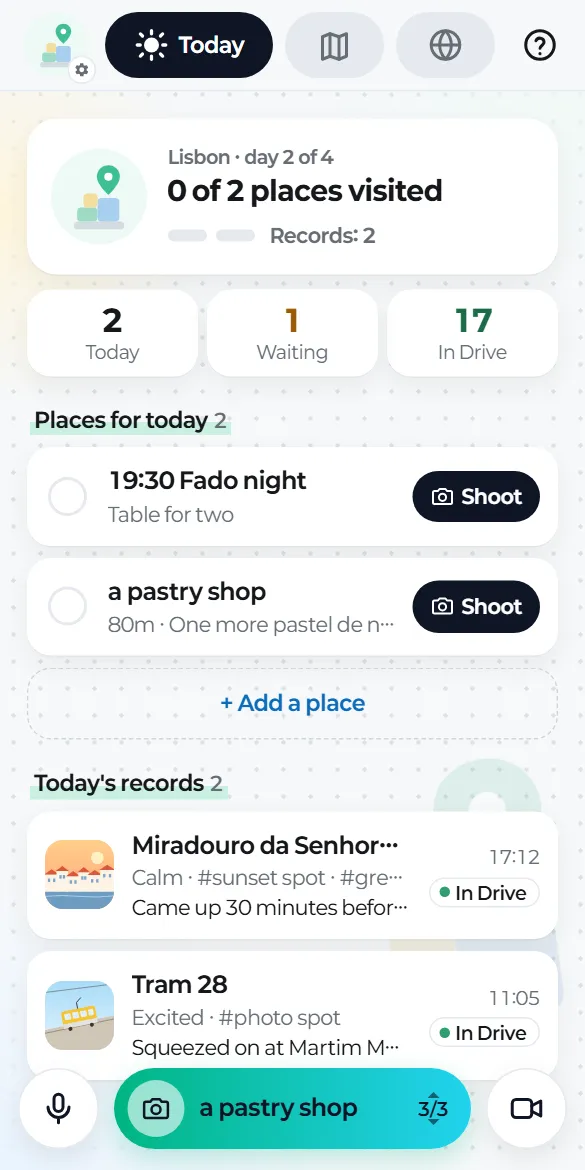
- The pill in the middle takes a photo. It shows the place your shot will be named after (for example "a pastry shop").
- The circle on the left records voice, and what you say becomes a note (guide 05).
- The circle on the right takes a video.
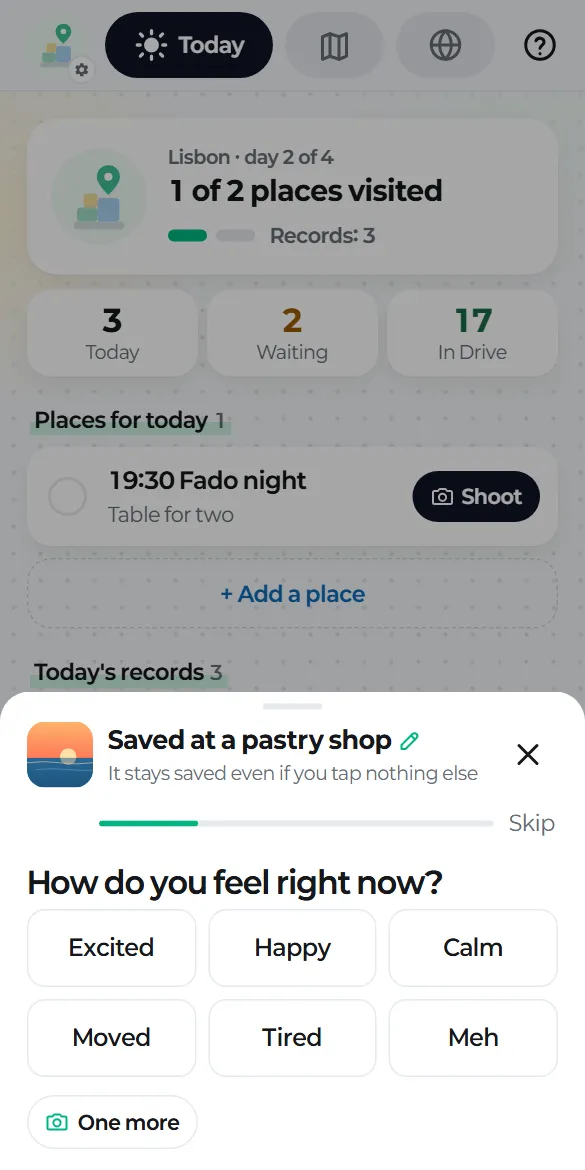
There's no save button
The moment you come back from the camera, the record is saved on your phone and queued for upload. If you come back without taking anything, nothing happens.
Several shots, one record
If you shoot again within 10 minutes at the same place (same name, or within 150 m), the new shot joins the last record. You'll see "Added to …", with "Make it a new record" if you'd rather keep it separate.
Place names fill themselves in
Shooting from one of today's places to go uses that place's name. Otherwise the app suggests the name of where you are. Offline, the record is saved under the date and time and renamed once a name is known. To type your own, tap the pencil at the top of the card.
Drag the bottom bar up or down
to switch between where you are now and today's places to go (shown as, for example, 1/4).